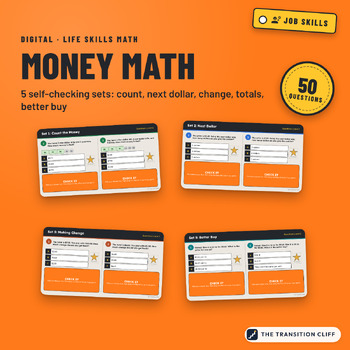
Digital Money Math
$3.99
Digital download, instant delivery, no shipping. Refund policy
Buy on Payhip (secure checkout), $3.99
Instant digital download (PDF or the file type listed). You get the file right after checkout and a download link by email. Delivery details.
Refund policy: digital downloads are final sale, but a broken or wrong file will be fixed or refunded.
These digital money math activities are five short self checking practice sets in one PowerPoint: counting money, the next dollar way, making change, adding prices, and finding the better buy.
Why this resource exists: Money skills need a lot of short practice, and I wanted something students could do on their own and redo without me grading every one. Each question has an answer flap that tells students what to try when they miss it, so the practice keeps going when I am working with another group.
What's included:
• Set 1: Count the Money (10 questions, with bills and coins shown on every question)
• Set 2: Next Dollar (10 questions)
• Set 3: Making Change (10 questions)
• Set 4: Adding Prices and Do I Have Enough? (10 questions)
• Set 5: Better Buy, with unit prices (10 questions)
• A tip slide for each set, a CHECK IT flap on every question, a My Scores slide with room for two tries, and a Check Your Work slide with all 50 answers
• A teacher guide PDF with pacing, accommodations, and an answer key
How to use it: Open the file in PowerPoint or Google Slides and assign one set at a time with a copy for each student. Students drag a star onto their answer, then lift the flap to check. Redo a set as a warm up until students are steady, then move on to the next one.
Who it's for: life skills, special education, transition, and consumer math classes in grades 9 to 12 and 18 to 21 programs.
Format: 34 slide PowerPoint file (.pptx), widescreen, with two questions on each slide, plus a teacher guide PDF with the answer key. Open it in PowerPoint, or upload it to Google Drive and open it with Google Slides. Questions and answers are locked on each slide's layout, so students only move the stars and flaps and type their scores. 50 questions in all.
Prefer cards?
Part of the Transition Cliff Digital series.
Created and classroom tested by a special education teacher, with AI drafting help.